Laptop Tote Bag Essentials: What to Look For & Key Specs
This post contains affiliate links. As an Amazon Associate, we earn from qualifying purchases.
Look for a laptop tote bag that matches four things: your laptop’s exact chassis dimensions (not screen size), a minimum of 10mm of high-density foam padding, reinforced strap attachments with metal rings or triple stitching, and a water-resistance level that fits your commute. The bag’s internal sleeve needs about 1cm of clearance on each side of your laptop.
That clearance is the difference between a snug, protective fit and a sleeve that grinds against the laptop’s corners every time you slide it in. Most damage happens there, not from dramatic drops. A bag marketed as “fits 15-inch laptops” can be off by as much as 4cm in width, enough for a modern thin-bezel MacBook to rattle loose inside a compartment built for a thicker 2019 model.
What follows is a breakdown of those four non-negotiable specs, the common failure points budget bags hide, and how to match a bag’s construction to whether you’re walking through a Cape Town downpour or stowing it under an airline seat.
Key Takeaways
- Screen size labels are marketing. A “15-inch” bag might fit a 34cm-wide MacBook Air but not a 38cm-wide gaming laptop. Always measure your laptop’s chassis width, depth, and thickness.
- Padding under 10mm is cosmetic. You need high-density, closed-cell foam on all four sides of the sleeve. Open-cell sponge compresses to nothing within six months.
- Single-stitched strap attachments fail. Look for metal reinforcement rings or triple stitching where the strap meets the bag. A shoulder strap under 1.5 inches wide digs in with a loaded 15-inch laptop.
- DWR coating is not waterproof. It beads off light rain for 10-20 minutes. For a motorbike commute or coastal humidity, you need YKK AquaGuard zippers or a roll-top closure.
- Climate dictates material lifespan. Full-grain leather rots in Durban’s humidity within 18 months without mould-resistant treatment. Coated nylon or waxed canvas lasts.
The “15-Inch” Lie and How to Measure for a Real Fit
Forget what the bag’s title says. “Fits 15-inch laptop” is a useless claim. It describes an approximate screen diagonal, not the chassis envelope your computer actually occupies. A 2019 15.6-inch gaming laptop can be 38cm wide and 2.7cm thick. A 2026 15.3-inch MacBook Air is 34cm wide and 1.15cm thick. Both are “15-inch” laptops. They do not fit the same bag.
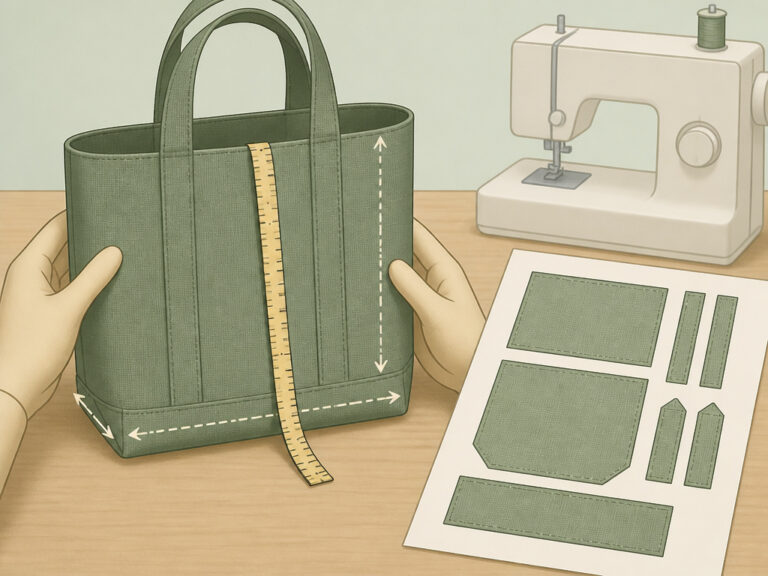
The right way to check fit is with a tape measure and the bag’s spec sheet, if it has one. Premium brands like Peak Design and Bellroy publish exact internal sleeve dimensions. Budget brands often omit them, which is your first red flag.
Measure your laptop’s chassis width, depth, and thickness. The bag’s internal sleeve should exceed each of your measurements by about 1cm (roughly half an inch) for easy insertion without forcing.
This 1cm clearance rule stops the corners from catching and prevents pressure on the lid when the bag is full. If the sleeve is too tight, you’ll feel resistance every time you pull the laptop out. That friction, over months, can wear the finish and stress the hinge.
| Bag Marketing Label | What It Usually Fits (Modern Thin-Bezel) | What It Often Won’t Fit |
|---|---|---|
| “Fits 13-inch” | 13.6″ MacBook Air, 13.3″ Dell XPS | Older 13.3″ MacBook Pro with chunky chassis |
| “Fits 15-inch” | 14″ laptops comfortably; 15″ thin-bezel just fits | 15.6″ gaming laptops with thick chassis |
| “Fits 16-inch” | 16″ MacBook Pro, 16″ Dell XPS, most 15.6″ laptops | — |
| “Fits 17-inch” | 17″ gaming laptops, 16″ workstations | — |
When in doubt, size up one notch. A slightly roomier sleeve with good padding is safer than a perfect-match sleeve with none.
Padding, Straps, and Waterproofing: The Build Specs That Break First
Three construction details separate a bag that lasts a decade from one that fails in a season. You find them in the corners, at the strap anchors, and along the zippers.
Padding density matters more than thickness. You need a minimum of 10mm of high-density, closed-cell foam on all four sides of the laptop sleeve. Open-cell sponge, the kind that feels soft and cheap, compresses to nothing within six months. It’s decoration. Premium bags use 15-20mm padding and add moulded plastic or EVA corner inserts, armour for when the bag tips off a chair. The Targus Mobile VIP and Peak Design Everyday Backpack build in this corner reinforcement.
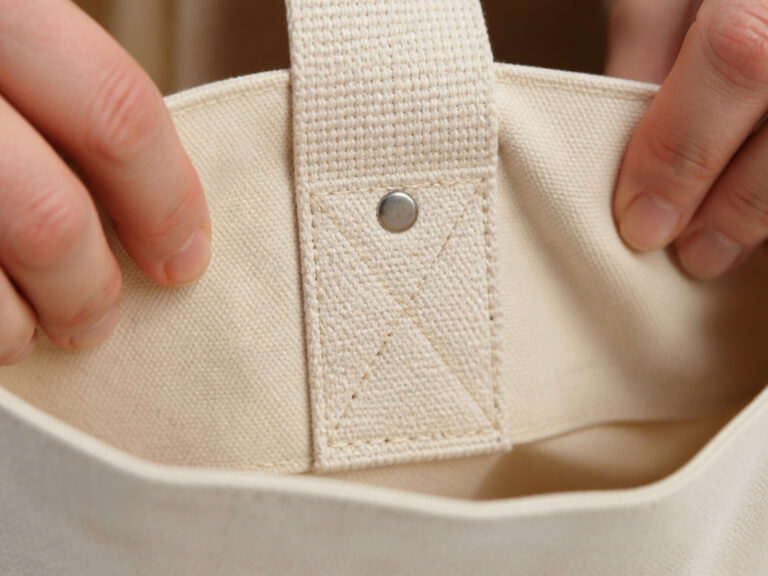
Strap attachment is the most common point of mechanical failure. A single row of stitching where the shoulder strap meets the bag body will pull apart within months of daily use. Look for metal reinforcement rings (d-rings) or triple stitching at those stress points. The strap itself should be at least 1.5 inches wide; anything narrower cuts into your shoulder under the weight of a 15-inch laptop and charger.
Where this goes sideways: A single-stitched strap anchor. The threads shear under load, and one day the strap detaches while you’re crossing the street. The repair often costs more than the bag.
Water resistance has three tiers, and most bags only offer the first. 1. DWR Coating: Beads off light rain for 10-20 minutes. Fine for a dash to the car. 2. DWR + YKK AquaGuard Zippers: A rubberised seal inside the zipper tape stops water from wicking through the teeth. This is the sensible minimum for a walking commute. 3. Roll-Top Closure with Welded Seams: Truly waterproof. Bags like the Ortlieb Velocity use this for cycling. Essential if you ride a motorbike to work.
For most people, tier two is enough. If you live in a region with sudden downpours, a stashable rain cover (packed in a bottom pocket) is a smart backup.
Tote vs. Backpack vs. Messenger: Which Shape Actually Carries the Weight?
The right form factor isn’t about style first. It’s about how long you walk with the bag each day. Your spine and shoulders feel the difference after a month.
A laptop tote bag is for short, sub-15-minute commutes. It’s easy to access, slides under a desk, and looks professional. The trade-off is that all the weight hangs from one shoulder or the crook of your arm. An overloaded tote forces a shoulder hike and upper-back strain. If your walk from the parking lot or station is longer than 15 minutes, pick a different shape.
A backpack is the default for anyone walking more than 15 minutes. Two straps distribute weight across both shoulders, keeping your posture neutral. You can carry 20-25 litres of laptop, charger, lunch, and a jacket without listing sideways. For a Johannesburg-style commute involving long parking-lot walks, the backpack wins. Look for a suspended laptop sleeve, a pocket that lifts the device off the bottom of the bag to absorb shock from setting it down.
A messenger bag (single strap, top flap) sits at hip height and offers quick, professional access. It suits smart-casual offices and cafe meetings. The asymmetric load becomes painful after 30 minutes of walking. It’s a tool for short, stylised commutes.
| Form Factor | Best For | Weight & Posture Impact |
|---|---|---|
| Tote Bag | Short walks (<15 min), professional settings, easy access | High shoulder strain, promotes leaning away from the load |
| Backpack | Daily commutes (>15 min), students, long walks | Even distribution, neutral posture, highest comfort for load |
| Messenger Bag | Smart-casual offices, quick access, client meetings | Asymmetric load, causes upper-back pain over 30 minutes |
The wrong choice here costs you physically. A single-strap messenger for a 45-minute walk is a prescription for a chiropractor visit.
Climate, Commute, and Travel: Matching the Bag to Your Ground Truth
A bag that works in dry Johannesburg fails in humid Durban. A bag perfect for Cape Town’s CBD walks is a theft risk in a Johannesburg parking garage. Your local conditions dictate the smartest material and feature choices.
Coastal Humidity vs. Leather: Full-grain leather develops a beautiful patina in dry climates. In Durban’s humidity, untreated leather rots and grows mould within 18 months. If you live on the coast, choose coated nylon, waxed canvas, or leather explicitly treated for mould resistance. Synthetic bags from Tomtoc or Peak Design age better here.
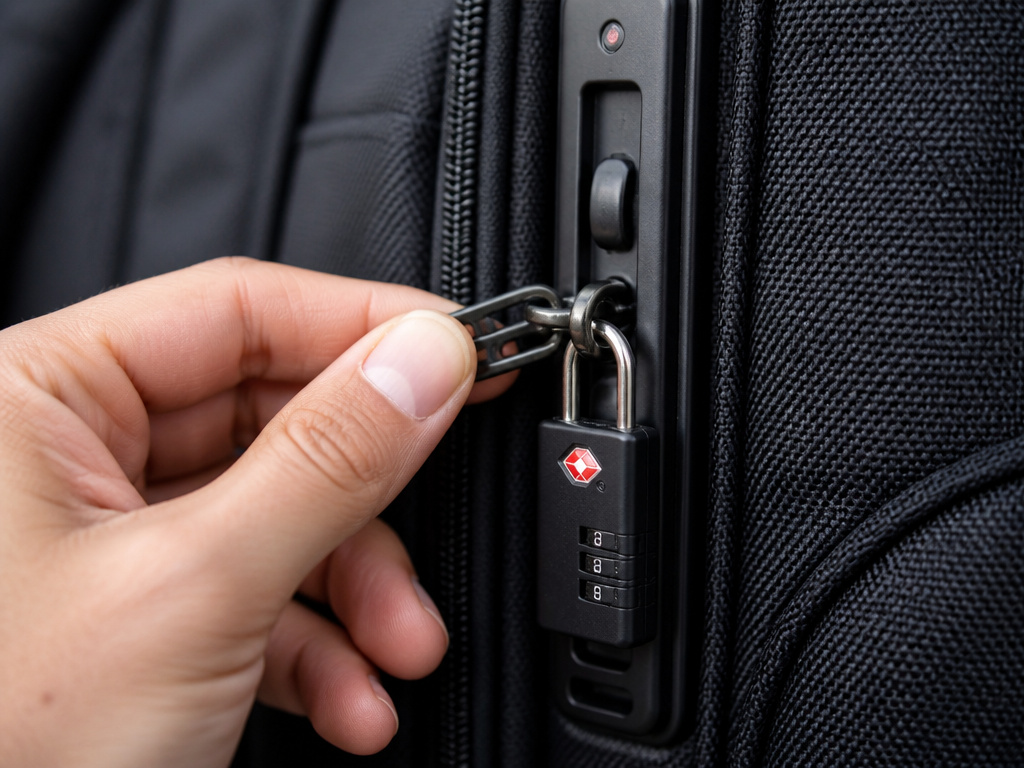
Urban Commute Security: For Johannesburg or Pretoria commutes with long walks through parking complexes, a plain black backpack with a lockable main zip is prudent. Brands like Peak Design use clipping side rails; Bellroy hides the zipper pullers against the back. Avoid flashy logos that scream “expensive laptop inside.”
Travel-Readiness: If you fly more than four times a year, two features pay for themselves. A TSA-friendly, lay-flat laptop compartment unzips 180 degrees so the laptop can stay in its sleeve through airport security (saves time and reduces drop risk). Second, check the bag’s carry-on dimensions. Most domestic airlines allow bags up to 56cm x 36cm x 23cm. A packed 25-litre backpack can sometimes exceed height limits.
The Default Picks: What to Actually Buy

You need a bag that fits your laptop, survives your commute, and doesn’t break in a year. These picks cover the bases.
For most professionals with a 14-15 inch laptop and a sub-30-minute commute, the Targus Mobile VIP Backpack is the default. It’s not glamorous, but its suspended laptop sleeve, lockable zips, 10-year warranty, and corner reinforcement make it a tool you stop thinking about. It’s the definition of a workhorse.
If you want a tote and value organisation, the Bellroy Tokyo Tote is a functional standout. Its padded laptop section fits up to 13 inches, it has a plethora of pockets, and the water-resistant fabric handles a light shower. The medium size measures 13.75 by 16.6 by 6.75 inches.
For the premium, buy-it-once user, the Peak Design Everyday Backpack 20L V2 is the answer. Its magnetic side latches, modular interior dividers, and lifetime warranty justify the investment. It’s a bag for people who care about design and durability equally.
Skip the leather messenger bag if your daily walk exceeds 15 minutes. Skip the budget bag with a 6-month warranty, the cost per year of use is higher than a premium bag with a 10-year guarantee.
Frequently Asked Questions
Are laptop tote bags bad for your back?
They can be, if you carry them for too long or overload them. A tote concentrates weight on one shoulder or arm. For walks longer than 15 minutes, a backpack is a healthier choice because it distributes weight evenly across both shoulders.
How do I know if a tote bag has enough padding?
Look for a specification stating at least 10mm of padding. Press on the laptop sleeve walls. High-density foam feels firm and resists compression. Cheap, spongy foam feels soft and bottoms out easily, it’s cosmetic and offers little real protection from impacts.
Can I use any tote bag as a laptop bag?
You can, but you must use a separate padded laptop sleeve for protection, and the tote must have a structured base. Floppy totes offer no support, letting your laptop bend at the bottom and bump against other contents. It’s a risky shortcut.
What’s the difference between water-resistant and waterproof?
Water-resistant (usually a DWR coating) sheds light rain for a short time. Waterproof (requiring welded seams and sealed closures like a roll-top) keeps water out even when submerged or in heavy downpours. For most commutes, water-resistant with AquaGuard zippers is sufficient.
Is a more expensive laptop bag always better?
Not always, but price often reflects better materials, construction, and warranty. A R400 bag with a 6-month warranty that falls apart is more expensive per year than a R2200 bag with a 10-year warranty. The sweet spot for a durable daily bag is in the R1500-R2500 range.
Before You Go
Ignore the “fits X-inch laptop” marketing. Measure your laptop. Demand 10mm of real foam padding and reinforced strap anchors. Match the bag’s water resistance to your actual weather. And be honest about how long you walk with it, your back will thank you. The right bag isn’t an accessory. It’s a piece of protective gear for a essential tool. Buy accordingly.