How to Set a Luggage Lock: Complete Step-by-Step Guide
This post contains affiliate links. As an Amazon Associate, we earn from qualifying purchases.
To set a luggage lock, open it, press its reset button, choose a new 3-digit code, and release. This core process works for most built-in zipper locks, external padlocks, and TSA-approved locks, though the button’s location varies. The key is holding the reset button firmly throughout the entire code change.
To set a luggage lock, open it with the current code, press and hold the reset button with a pointed tool, dial your new 3-digit combination, then release the button. The exact steps vary slightly between built-in zipper locks, external padlocks, and smart luggage locks, but the core reset mechanic is the same. The most common mistake is not holding the reset button down firmly while setting the new numbers.
People assume a TSA lock is just for show or that resetting it requires a special key. They fumble with the mechanism, set the code incorrectly, and end up with a lock that either won’t open or, worse, opens to any random number. That last one is a specific failure mode after a TSA inspection, and it has a simple fix most guides skip.
This guide walks through the universal reset process, breaks down the five main lock types you’ll encounter, and shows you how to troubleshoot the two most frustrating lock problems. We’ll also cover why you should never use a non-TSA lock on checked baggage.
Key Takeaways
- The reset button is tiny. You need a pen, paperclip, or the tool that came with the suitcase to press it.
- Always record your new combination immediately. Save it in your phone contacts or email it to yourself. Forgetting it means a 30-minute brute-force attempt or a broken lock.
- TSA-approved locks have a red diamond Travel Sentry logo. The keyhole is only for TSA master keys (like TSA 002 or TSA 007); you don’t get a key.
- If your lock opens to any combination after a flight, a TSA agent likely left it in inspection mode. Fix it by repeating the reset process.
- Never set or reset the lock while the zippers are secured in it. You can accidentally lock yourself out with the wrong code.
The 4-Step Universal Reset Process (For Most TSA Locks)
This process works for 90% of standalone TSA-approved combination padlocks. Find the lock on your bag. Look for the small reset pinhole, usually on the side or bottom.
Step 1: Open the lock with the current code. New locks default to 0-0-0. If you’re resetting an old code, use that code first. The shackle must be in the open, unlocked position. If it’s closed, you cannot engage the reset mechanism.
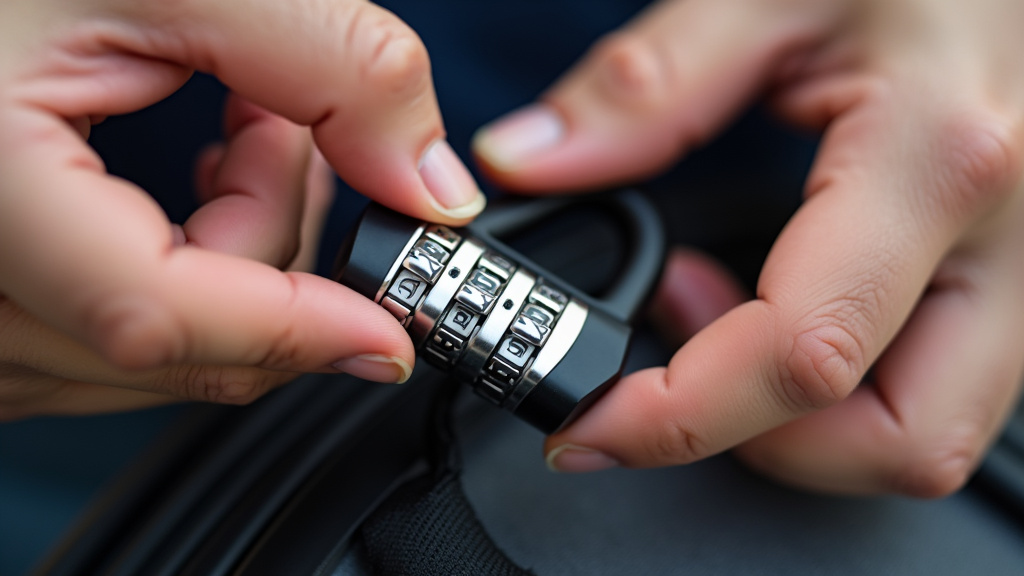
Step 2: Press and hold the reset button. Insert a pen tip, unfolded paperclip, or the dedicated reset tool into the pinhole. You’ll feel a slight click as the button depresses. Hold it down firmly. If you let go early, the new code won’t save.
Step 3: Set your new 3-digit combination. While maintaining pressure on the reset button, dial the wheels to your chosen numbers. Align them carefully in the center of the number window. A misaligned digit will cause the lock to fail later.
Step 4: Release the button and test. Pull the tool out. The button will spring back. Close the shackle and scramble the numbers. Now try your new code. It should open smoothly. If it doesn’t, repeat the process, ensuring you held the button down the entire time you dialed.
A TSA-approved combination lock uses a spring-loaded reset latch inside the body. Pressing the button disengages the internal tumblers from the current wheel setting, allowing you to reposition the wheels to a new alignment. Releasing the button re-engages the tumblers, locking that new alignment in place.
TL;DR: Open, press reset, dial new code, release. Hold the button the whole time you’re dialing or it won’t take.
Not All Locks Are Created Equal: 5 Types You Need to Identify
Your suitcase lock guide starts with identification. Using the wrong reset method on a built-in latch lock will get you nowhere. Here’s how to spot what you have.
| Lock Type | What It Looks Like | Common Reset Method | Where You’ll Find It |
|---|---|---|---|
| TSA-Approved Padlock | External, with a shackle. Red diamond logo. | Pinhole reset button (steps above). | Attached to suitcase zippers via a flexible cable or fixed loop. |
| Integrated Zipper Lock | Built into the suitcase zipper pulls. | Sliding lever or button on the lock body. | Mid-range to high-end softside and hardside suitcases. |
| Latch Lock | Built into the suitcase frame, secures the lid. | Button or switch inside the suitcase, near the latch. | Traditional hardside suitcases (old Samsonite, American Tourister). |
| Cable Lock | Long, flexible cable with a lock at one end. | Same as TSA padlock, but on the lock barrel. | Used to secure luggage to fixed objects (like in a hostel). |
| Smart/Digital Lock | Has a keypad or Bluetooth connection. | Brand-specific app or factory reset sequence. | Premium luggage (Away, Arlo Skye, some Samsonite). |
The integrated zipper lock is the trickiest. The reset is often a small sliding switch on the side of the lock housing. You slide it with a fingernail or tool while the lock is open and the zippers are free. The latch lock usually has a reset button on the inside of the suitcase, right next to the latch mechanism. You have to open the suitcase with the old code to reach it.
Common mistake: Trying to reset a zipper lock while the zipper pulls are locked in place. This can set the lock to your new code while it’s in the closed position, permanently locking your bag if you forget the combination. Always ensure the zippers are detached before resetting.
For brand-specific steps, like those for an Away smart lock or a Samsonite lock setup, the manufacturer’s website is your best bet. The core concepts are the same, but the button location changes.
What If Your Lock Opens to Any Number?
This is the head-scratcher. You spin the dials to random numbers, and the lock pops open. It feels broken. It’s usually not.
This happens almost exclusively after a TSA inspection. When an agent uses their master key to open your TSA-approved lock guide, the mechanism can sometimes be left in a neutral, unset state. The internal tumblers aren’t engaged with the number wheels, so any alignment works.
The fix is to simply repeat the standard lock reset process. Open the lock (with any random number), press and hold the reset button, set a fresh combination, and release. This re-engages the tumblers. The lock will now only open for your new code.
If that doesn’t work, the physical reset latch inside might be stuck. Try pressing the reset button multiple times while the lock is open to free it. Sometimes a tiny piece of debris from baggage handling jams it.
How to Choose (and Remember) a Secure Combination
Don’t use 0-0-0. Don’t use 1-2-3. Don’t use your birthday. These are the first codes a thief or curious baggage handler will try.
Pick a number meaningful only to you but not tied to public records. An old street address from childhood, a friend’s forgotten phone number prefix, a jersey number from a player you liked in fifth grade. The goal is a code you can recall under travel stress but that isn’t obvious.
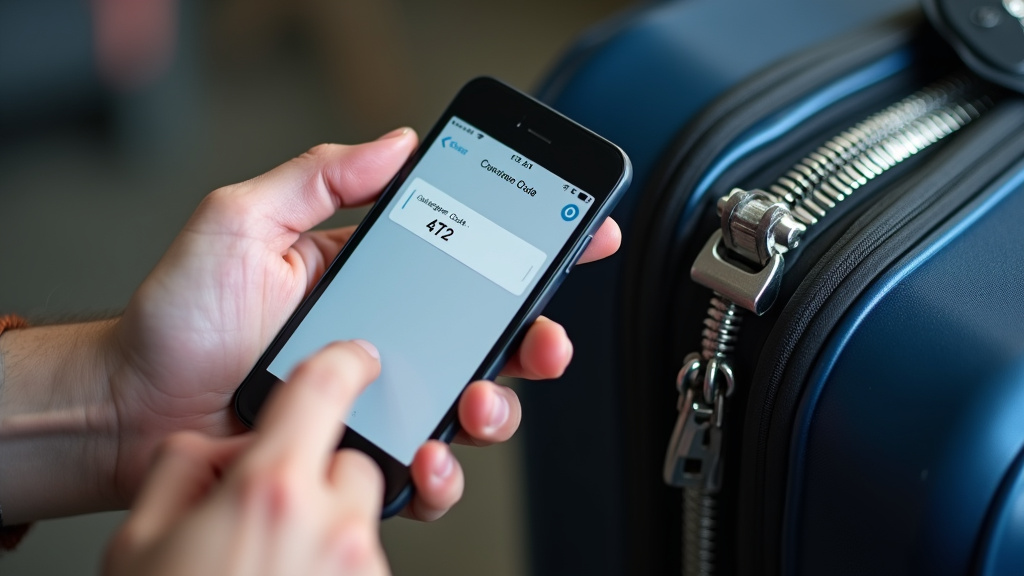
Now, write it down. This is non-negotiable. Save it as a contact in your phone (“Suitcase Code – 472”). Email it to yourself. Jot it on a slip of paper and tuck it into your passport sleeve. The luggage lock instructions are useless if you can’t recall the output.
I learned this after a 6 a.m. flight to Denver. I’d reset my lock to a “clever” code the night before. At baggage claim, my mind went blank. I spent 20 minutes cycling through combinations before sheer luck opened it on 7-3-1. I now have a note in my phone labeled “Denver Code,” and I’ve used it ever since.
TSA Locks vs. Regular Locks: Why the Red Diamond Matters
That red diamond logo isn’t decoration. It’s the Travel Sentry mark, a universal signal to security agencies worldwide that they can open the lock without breaking it. Agencies in the US (TSA), Canada (CATSA), and the EU have master keys that fit these locks.
If you use a non-TSA lock on checked baggage and it gets selected for inspection, security will cut it off. They might cut your zipper pull or even the bag itself. The travel security lock is a compromise: minimal security against theft, maximum convenience for security screening.
The keyhole is only for their master keys, like the common TSA 002 (for tubular locks) and TSA 007. You don’t get one. After inspection, agents are supposed to relock your bag. They don’t always. If you find your bag closed but unlocked, you can sometimes use a nail file to turn the keyhole back to the locked position.
Before you start: Never force a lock mechanism. If the reset button won’t press, don’t hammer a screwdriver into it. You’ll shear the plastic latch inside and permanently break the lock. If it’s stuck, the problem is often solved by opening it correctly first.
Troubleshooting: When the Standard Reset Steps Fail
Sometimes the basic lock reset doesn’t go to plan. Here are the fixes for the two most common failures.
Problem 1: The reset button won’t press.
- Cause: The lock is in the locked position. The button is mechanically blocked.
- Fix: You must open the lock first. If you’ve forgotten the combination, you’ll need to attempt lock recovery methods. For a TSA lock, this means trying all 1,000 combinations (000-999) or sourcing a master key.
Problem 2: The new combination doesn’t work.
- Cause A: You released the reset button before finishing dialing the new code.
- Fix A: Start over. Hold the button down firmly from start to finish.
- Cause B: The numbers are misaligned. They must be centered in the window.
- Fix B: Re-dial the code, peering closely at each digit’s alignment.
If you’ve truly forgotten your code and don’t have a record, your options thin out. You can attempt the brute-force method (it takes 30-45 minutes). You can search for the specific master key model for your lock online. Or, as a last resort, you can visit a locksmith or try manual lock manipulation with thin shims. For built-in locks, contacting the luggage manufacturer is your best bet.
Frequently Asked Questions
How do I know if my lock is TSA-approved?
Look for the red diamond Travel Sentry logo stamped on the lock body. Samsonite locks often have a red “TSA” logo. If it has a keyhole but didn’t come with a key, it’s almost certainly TSA-approved.
What is the default code for new luggage locks?
The vast majority are set to 0-0-0 from the factory. Some high-end or smart locks may have a different default, like 0-0-0-0 or a factory-set code listed on a tag in the suitcase lining.
Can TSA open any lock?
No. They can only open locks with the Travel Sentry system that accepts their universal master keys. If you use a non-TSA lock or a cheap lock without the logo, they will cut it off for inspection.
What should I do if TSA leaves my lock open?
First, close and relock it with your combination to ensure it still works. If the mechanism feels loose or the lock opens to any number, perform a full reset to re-engage the internal tumblers.
Are TSA locks secure against theft?
They provide minimal deterrence. The plastic body can be cut with bolt cutters, and the master key system is a known vulnerability. Their primary purpose is to secure your zippers from accidental opening and to allow security inspections without damage. For true security, keep valuables in your carry-on size dimensions compliant bag with you.
Do other countries recognize TSA locks?
Yes. The Travel Sentry system is recognized by security agencies in over 180 countries, including CATSA (Canada), AVSEC (India), and ECAC (Europe). Using a TSA-approved lock is the standard for international checked baggage.
The Bottom Line
Setting a luggage lock is a five-minute task that saves you a major headache at the airport. Find the reset button, hold it down, pick a code you’ll remember, and write that code down. Trust me on that last part.
Stick with TSA-approved locks for checked bags to avoid having them cut off. Understand that their real job is to facilitate inspections, not to be a fortress. If your lock acts weird after a flight, just reset it—chances are a TSA agent has left it in inspection mode. Now you know how to fix it.