Travel Smart: Laptop Inclusion in 7kg Cabin Allowance
This post contains affiliate links. As an Amazon Associate, we earn from qualifying purchases.
Your laptop’s weight counts toward the 7kg cabin allowance. Airlines weigh your entire carry-on bag at the gate, check if the total exceeds the limit printed on your ticket. The clerk isn’t pondering what’s inside; they’re verifying the scale’s read against the maximum. Get it wrong, and you’re that person frantically pulling out chargers at the counter while the line groans.
You shove your laptop into your bag, lift it, and that familiar doubt creeps in. Is this thing pushing me over the 7kg hand luggage limit? We’ve all stood there. The airline’s rule seems simple, but your laptop’s weight feels like a hidden variable. The truth is, that weight counts. Every time.
Most people think the laptop gets a free pass. It doesn’t. Airlines weigh your entire bag at the gate. That clerk isn’t pondering what’s inside; they’re checking if the scale tips past the limit printed on your ticket. Get it wrong, and you’re that person frantically pulling out chargers at the counter while the line groans.
I learned this the hard way a decade ago on a packed Ryanair flight from London. My trusty old ThinkPad, its hefty charger, and my overstuffed messenger bag combined for a stealthy 9.5kg. The agent pointed to the scale. “The fee was more than my ticket. I wore two sweaters and stuffed pockets with cables onto the plane. It was July. I looked ridiculous, but I saved eighty euros.
This guide isn’t about fear. It’s about clarity. We’ll cut through the airline jargon and traveler myths. You’ll learn exactly how airlines categorize your laptop bag, proven ways to stay under the limit, and the real consequences if you don’t.
Key Takeaways
- Your Laptop’s Weight Counts: Airlines calculate your total hand luggage weight, not item-by-item weights. Your laptop is part of the 7kg (or other limit) total.
- It’s Usually Your “Personal Item: Your laptop bag most often qualifies as your one allowed personal item (like a purse). This is separate from your main carry-on suitcase.
- Weight Limits Vary Dramatically: Major US airlines may not enforce weight limits, but international and budget carriers (like Ryanair, Vistara, Air India) are strict about 7kg-8kg combined limits for both bags.
- Size Can Trump Weight: If your laptop bag fits under the seat, it’s usually accepted as a personal item even if slightly heavy. But if it looks bulky, agents may weigh it.
- Security is a Separate Rule: You must remove your laptop for X-ray screening at security (unless you have TSA PreCheck). This rule is independent of airline weight policies.
How Airlines Classify Your Laptop Bag
The core confusion starts here. You have two potential bags: your main carry-on suitcase (for the overhead bin) and your personal item (for under the seat). Your laptop bag almost always is your personal item.
The Personal Item Rule:
Airlines define a personal item as a small bag that fits under the seat in front of you. Think a purse, briefcase, or small backpack. A standard laptop bag or sleeve falls into this category. Finnair’s policy, for example, explicitly states a “small bag such as a handbag or a laptop bag” counts as the personal item on most fares.
The Combined Weight Trap:
This is where people get caught. Many airlines, especially in Asia and on budget carriers like AirAsia, have a combined weight limit for your carry-on suitcase AND your personal item. For instance, Vistara has a strict 8kg (16lb) combined limit. If your roll aboard weighs 6kg and your laptop bag weighs 2.5kg, you’re already overweight before adding a phone or book.
The Size Safety Net:
If your laptop bag is slim and clearly fits under-seat dimensions, gate agents often won’t weigh it, even if your main carry-on is at the limit. The visual cue of “that will fit” works in your favor. A bulky backpack housing your laptop, however, invites a scale check.
Airline Policy Breakdown: A Real-World Look
Policies aren’t universal. Your experience hinges on your airline, fare class, and departure airport.
US Domestic Airlines (Delta, American, United, Southwest):
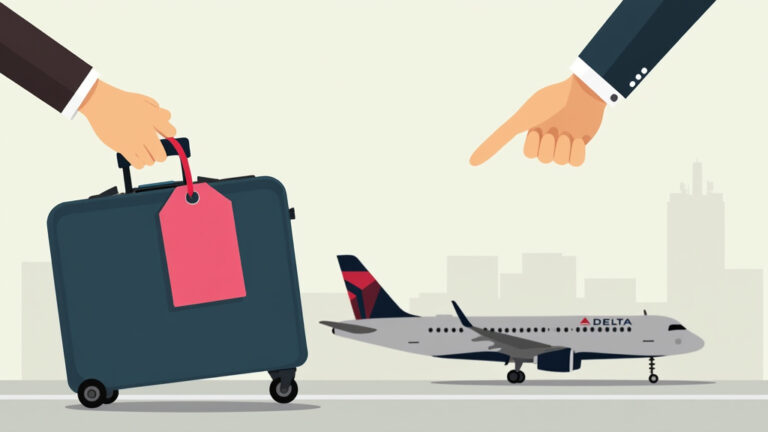
- Weight: Generally no strict weight enforcement for carry-on items. They focus on size limits that fit the sizer.
- Laptop Bag: Treated as a personal item. You can typically bring a carry-on suitcase and a laptop bag without weight worries.
- The Catch: If a bag appears excessively heavy or bulky, agents can still demand it be checked. This is rare but discretionary.
International Full-Service Airlines (Emirates, Singapore Airlines, British Airways):
- Weight: Often have a 7kg limit for your main carry-on bag. Their stated policy usually includes your personal item in that weight.
- Enforcement: Varies by airport and agent. At premium hubs (Dubai, Changi, Heathrow), enforcement can be relaxed if bags look compliant. At busy gates, they may weigh.
- Laptop Bag: Often overlooked if your main suitcase is within limits. A separate laptop bag is commonly tolerated.
Budget Airlines (Ryanair, easyJet, Spirit, AirAsia, IndiGo):
- Weight: STRICT. 7kg-10kg limits are enforced at the gate with scales. Fees for overweight bags are a major revenue source.
- Laptop Bag: This is your personal item. On their cheapest “Basic” fares, this might be the only bag you get for free. Ryanair’s “Basic fare only includes one small personal item. If you want a main carry-on suitcase, you must pay for priority boarding.
- The Scale Doesn’t Lie: They will weigh your main bag. They might weigh your laptop bag if you have two. The combined weight must be under the limit if that’s the rule.
| Airline Type | Typical Weight Limit | Laptop Bag Status | Likelihood of Enforcement |
| :— | :— | :— |
| US Domestic | No formal limit | Personal Item | Low |
| International Full-Service | 7kg (main bag) | Often tolerated as extra | Medium |
| Budget / Low-Cost | 7kg–10kg (combined) | Personal Item (may be only bag) | High |
5 Practical Ways to Keep Your Bag Under 7kg
You don’t need military packing skills. You need smart choices.
1. Choose the Right Laptop Bag
A dedicated laptop sleeve inside your main backpack saves weight and space versus a separate bag. If you need a bag, pick a minimalist nylon messenger or slim backpack over a padded, multi-compartment case. The bag itself can vary by over 1kg.
2. Manage Your Accessory Weight
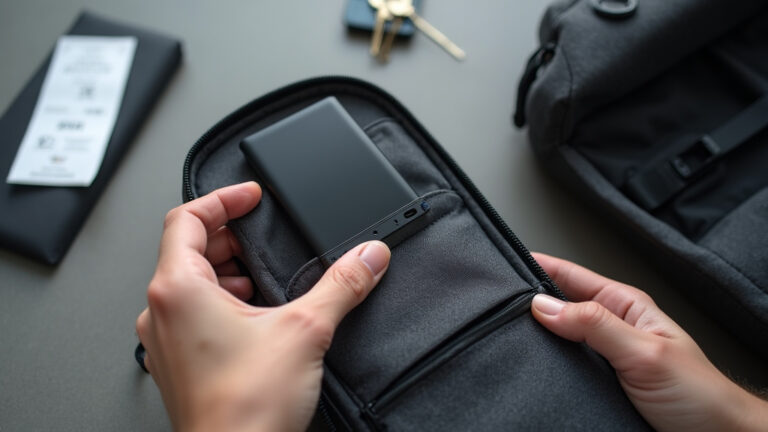
Your charger, mouse, and power bank add up. A modern USB-C laptop charger is lighter than an old power brick. Consider a multi-port charger to replace separate ones for phone and laptop. Do you really need that mouse?
3. Pack Your Laptop Strategically
Wear your heaviest jacket. Put your laptop charger in your main carry-on if it has space, not in your laptop bag. If you’re borderline, carry your laptop in your hands through the gate (agents rarely weigh items in your hands), then place it in your bag once past the checkpoint. This is a known traveler trick.
4. Know Your Airline’s Exact Rules
This is the most important step. Google “[Your Airline] hand luggage policy” 24 hours before your flight. Policies change. Print the page or save a screenshot on your phone. If the agent disputes, you have proof.
5. Weigh Your Bag at Home
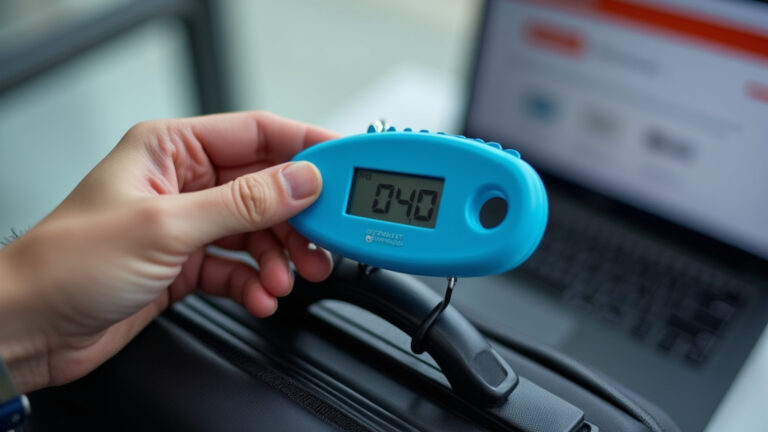
Use a bathroom scale. Weigh yourself, then weigh yourself holding your packed bag. Subtract. Do this before you leave for the airport. It takes one minute and prevents panic.
Common Mistakes to Avoid

Mistake 1: Believing “laptop” is a magic word that exempts weight.
Reality: The scale measures total mass. It doesn’t care about the tech inside.
Mistake 2: Assuming all airlines have the same policy as your last flight.
Reality: A shift from budget to full-service carrier changes everything. Your domestic US flight’s宽松 rules don’t apply to your upcoming AirAsia trip.
Mistake 3: Overstuffing your “personal item** bag.
Reality:** If your laptop bag is bulging, it stops looking like a personal item and starts looking like a second carry-on. That invites scrutiny and a potential fee.
TL;DR: Weigh your full bag at home. Treat your laptop as part of your 7kg total, not a separate entity. Your laptop bag is likely your personal item. Check your specific airline’s rules the day before you fly.
Frequently Asked Questions
What happens if my laptop bag is overweight?
You face fees (often $50-$100 at the gate), may have to check a bag (paying checked bag fees), or must remove items. Some airlines let you transfer items to your checked luggage or wear them.
Does a laptop case count as a separate bag?
No. A sleeve or case inside another bag is not counted. A separate laptop bag is your personal item. You generally get one carry-on and one personal item.
How can I reduce my laptop bag weight?
Use a lightweight sleeve. Carry the minimum accessories. Choose a lighter laptop model if possible. Put heavy items (like the charger) in your main carry-on if space allows.
Are there airlines without weight limits?
Very few. Most US domestic airlines don’t enforce them. Almost all international and budget airlines have strict weight limits for cabin bags.
Do I have to remove my laptop at security?
Yes, for standard X-ray screening. Place it in a separate bin. TSA PreCheck members can leave laptops in bags.
What about lithium batteries in laptops?
Laptops with installed lithium-ion batteries are permitted in carry-on bags. Spare batteries have stricter watt-hour limits and must be in carry-on luggage.
The Bottom Line
That nagging feeling at the bag scale is preventable. Your laptop isn’t invisible to airline weight limits. It’s a key contributor. The fix is straightforward: know your airline’s specific rules, weigh your bag before you go, and pack with the total limit in mind.
The goal isn’t to game the system. It’s to walk to the gate knowing your bag complies, that you won’t be scrambling. Pack smart, fly calm. Your laptop is your tool, not your liability.