8 Best Technology Backpacks of 2026
This post contains affiliate links. As an Amazon Associate, we earn from qualifying purchases.
The Swissdigital TSA Business Laptop Backpack stands out as the best overall tech backpack for its smart organization and TSA-friendly design, followed by the hk Slim & Expandable 17 Inch Backpack as a strong budget pick that offers surprising versatility through its expandable capacity.
Buying a tech backpack isn’t just about fitting a laptop, it’s about protecting expensive gear, staying organized on the move, and feeling comfortable whether you’re commuting or traveling. Too many bags sacrifice one priority for another, leaving you with flimsy padding, chaotic pockets, or straps that dig into your shoulders.
This guide cuts through the noise by focusing on what actually matters: real-world durability, smart layout, and security features backed by owner feedback and solid specs. I looked closely at how each model balances protection, access, and comfort for daily use.
Top 8 Technology Backpacks in the Market
The Best Technology Backpacks, Reviewed
Swissdigital TSA Business Laptop Backpack
Strengths
- Apple Find My integration
- TSA-friendly 180° lay-flat
- USB charging port
Trade-offs
- Higher price point
- Bulky for minimalist use
- Limited color options
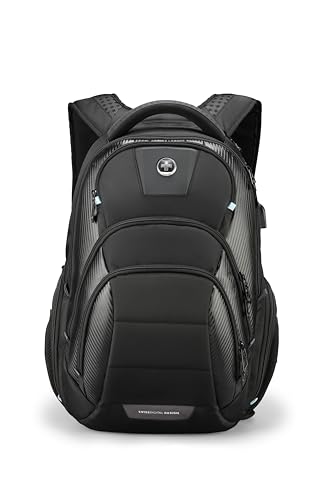
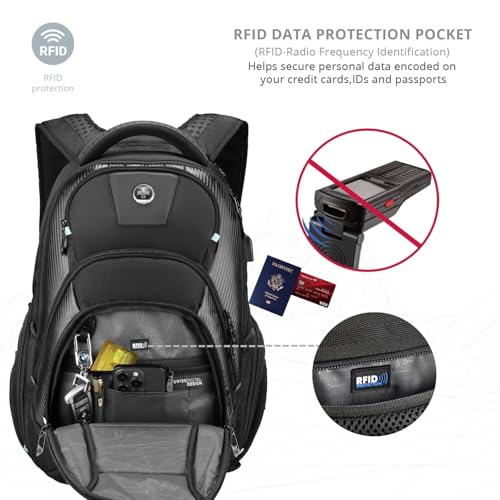
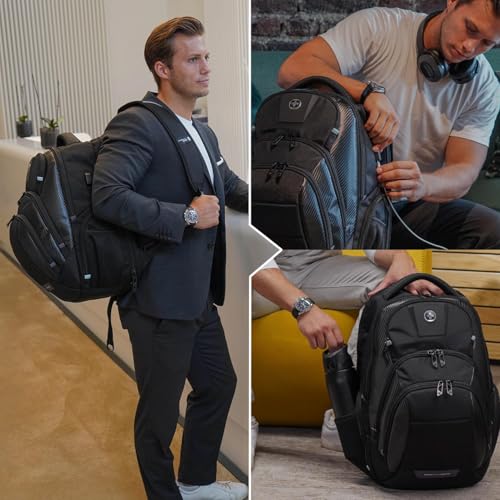
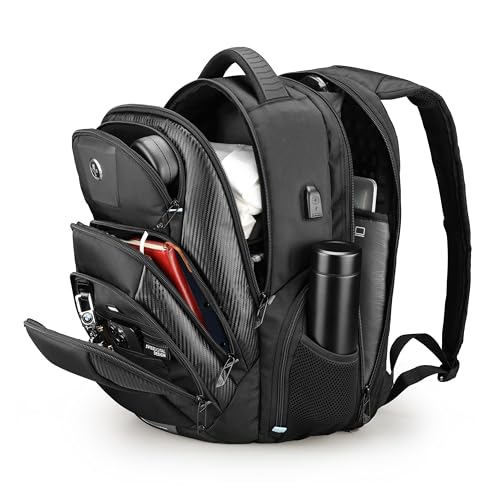
This Swissdigital backpack stands out not just for its TSA-friendly lay-flat access, but for integrating Apple’s Find My network, a rare and genuinely useful feature. The ability to trigger a flashing light or 130dB alarm remotely, plus get out-of-range alerts, adds real peace of mind for travelers prone to misplacing gear. On top of that, it includes USB charging, RFID protection, and an add-a-bag strap, making it one of the most complete tech-forward packs on the market.
With multiple U.S. patents listed, it’s clear there’s serious engineering behind it. Owners note the build quality matches the spec sheet, durable, organized, and efficient. While it’s priced higher than average, I see it as the smarter buy over competitors that offer just one or two of these features. If you want the most advanced tech in a single bag, this is it.
Product photos
SWISSGEAR 1900 ScanSmart Laptop Backpack
Strengths
- TSA-friendly lay-flat design
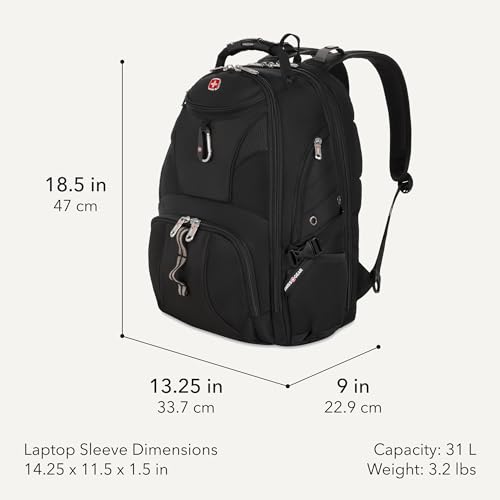
- 31L large capacity
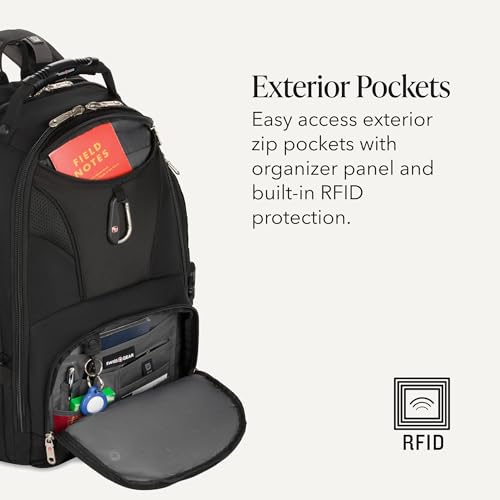
- RFID-protected organizer
Trade-offs
- No USB charging port
- Heavier than slim models
- Aging design, less modern look
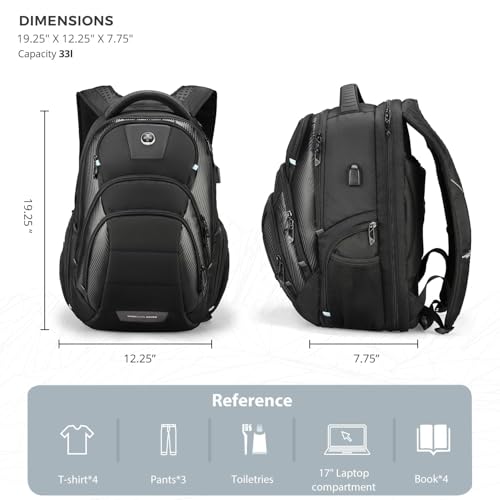
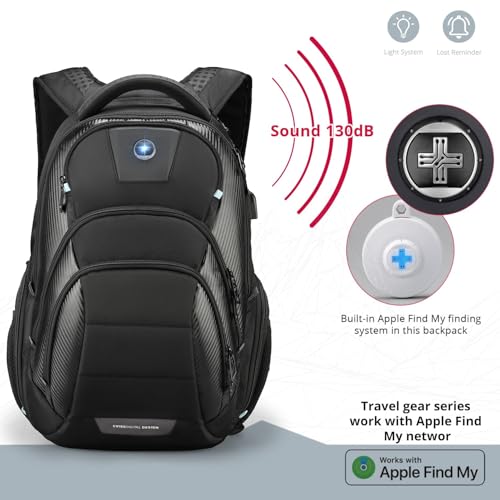
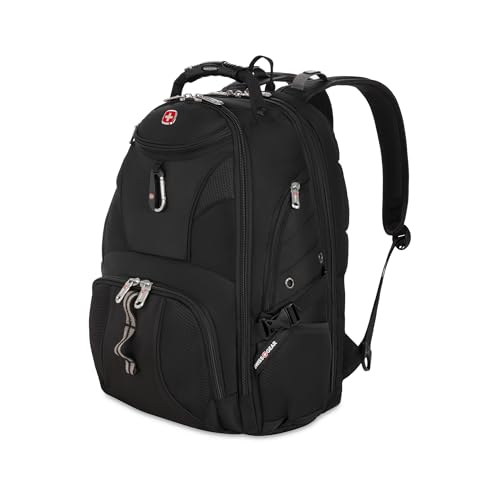
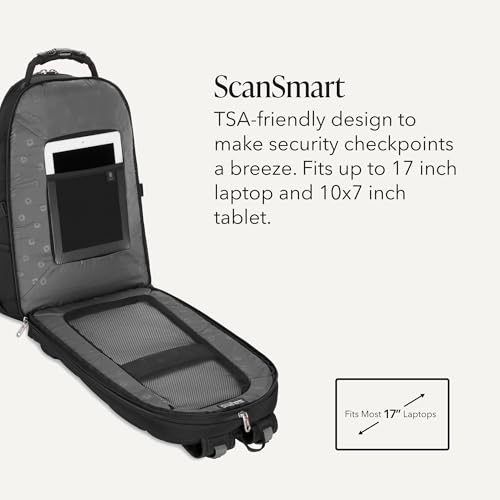
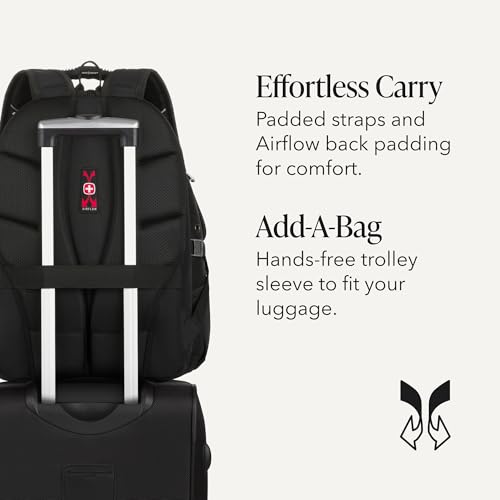
The SWISSGEAR 1900 is a veteran in the travel backpack space, and for good reason, it was one of the first to nail the TSA-friendly lay-flat design, and it still holds up. With a 31L volume and a compartment that opens 180 degrees, it’s built for travelers who dread unpacking at security. Owners consistently report smooth airport experiences, and the padded TabletSafe pocket adds real protection for smaller devices.
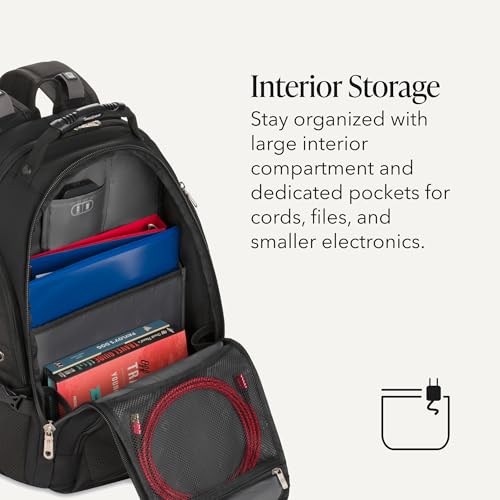
The RFID-protected organizer and accordion file holder bring a polished, business-ready feel. While it’s bulkier than minimalist packs, the airflow back padding and contoured straps keep it comfortable even when fully loaded. Compared to newer tech-heavy models, it lacks USB charging, but I’d still recommend it over flashier options for air travel, functionality wins here.
Product photos
BANGE Anti-Theft Backpack with USB3.0

Strengths
- USB3.0 fast charging
- Waterproof YKK zippers
- Built-in TSA and anti-theft locks
Trade-offs
- Bulky front profile
- Instructions for lock can be confusing
- Not TSA-friendly for laptop scanning
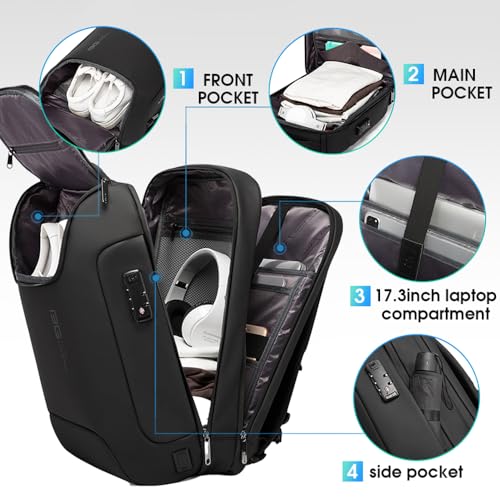
The BANGE backpack throws a lot of tech at you, and it mostly sticks. The USB3.0 charging port is a standout, faster than most built-in ports, and the waterproof YKK zippers add real all-weather confidence. The three-pocket system, including a TSA lock in the middle compartment, is smartly laid out, and the zinc alloy anti-theft lock gives an extra layer of physical security that few competitors offer.
Owners report it feels rugged and well-built, and the breathable mesh on the back and straps keeps it comfortable even in heat. It’s not as polished as the Swissdigital model, but for raw tech features, it’s hard to beat. I’d pick this over the hk or MATEIN if you want the most advanced hardware integration without stepping into premium pricing.
Product photos



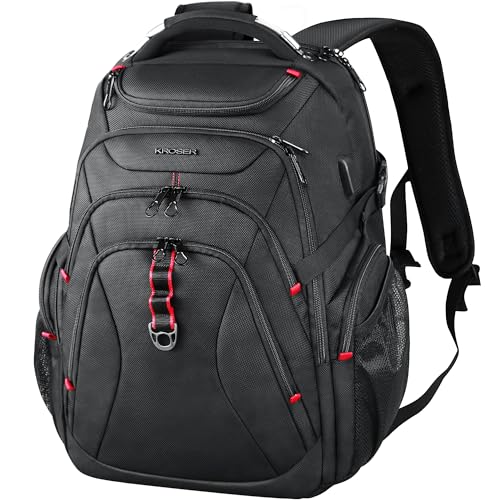
KROSER Travel Laptop Backpack 17.3 Inch
Strengths
- Hard-shell sunglass zone
- RFID-protected pockets
- Water-repellent ballistic fabric
Trade-offs
- Heavier at 3.08 lbs
- Bulky dimensions
- Zipper placement can be tight
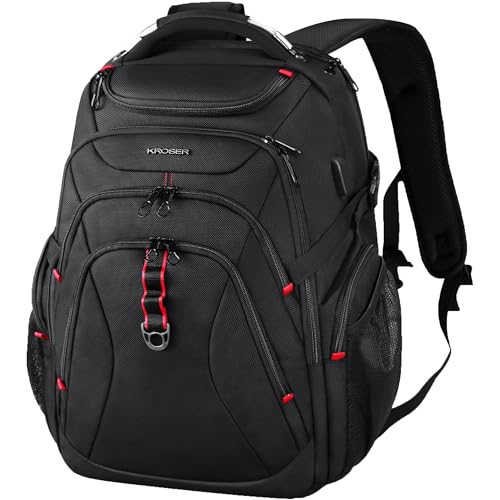
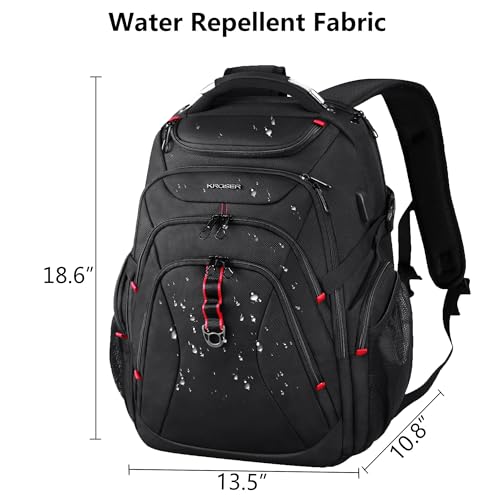
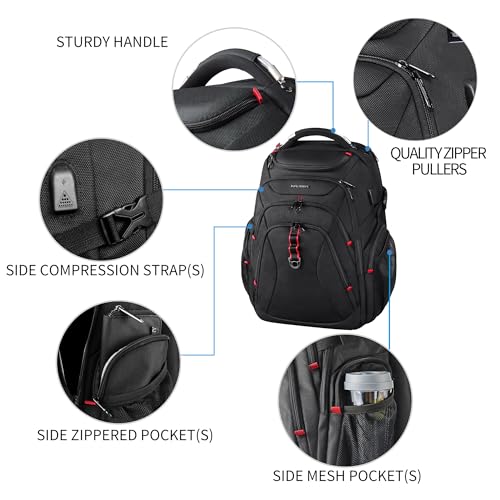
KROSER’s XL model leans hard into security and durability, and it shows. The ballistic fabric is tough, the hard-shell sunglass zone is a thoughtful touch, and the RFID pockets are well-placed for protecting cards and passports. At 18.6 inches tall, it fits up to a 17.3-inch laptop, and the multi-compartment layout gives serious organizational power, owners praise how much it holds without feeling chaotic.
The built-in USB port and add-a-bag strap keep it competitive, and the airflow back padding helps with comfort during long carry. But it’s the security-first design that sets it apart. Compared to the MATEIN or Lenovo options, this one feels more like armor for your gear. I’d recommend it over sleeker models if you’re traveling in high-risk areas or just want maximum peace of mind.
Product photos


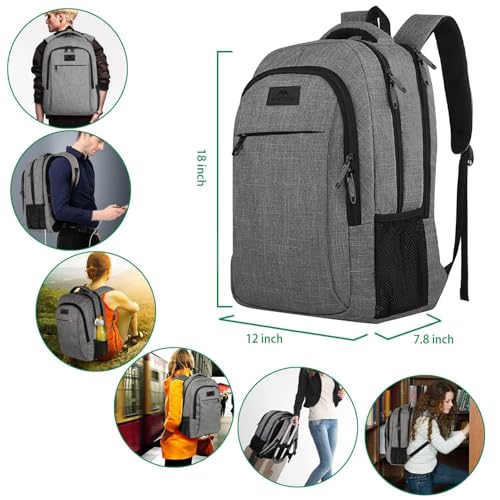
MATEIN Travel Laptop Backpack Grey
Strengths
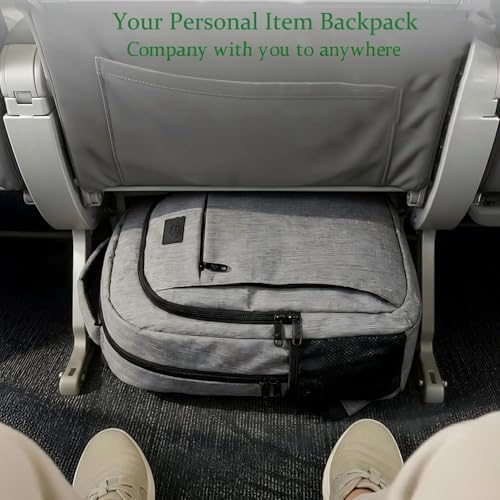
- Meets personal item size limits
- Hidden anti-theft pocket
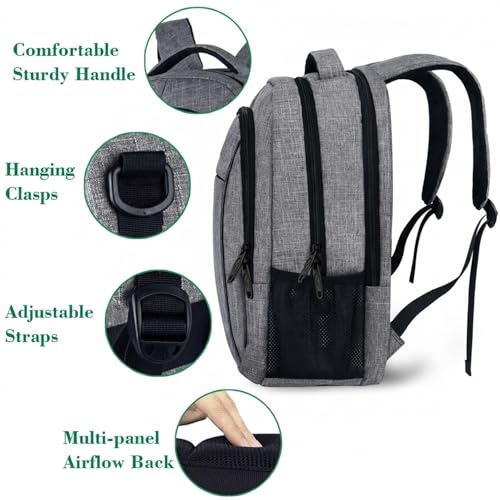
- Good airflow back padding
Trade-offs
- No RFID protection
- Basic USB port only
- Zippers feel slightly cheap
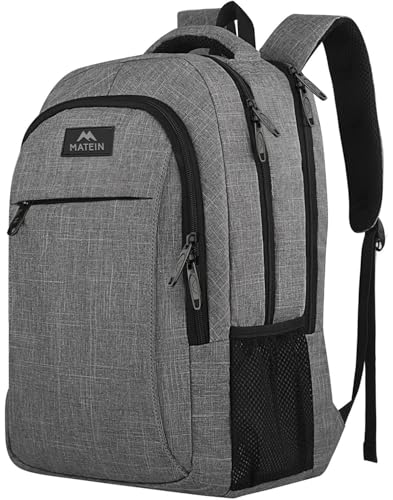
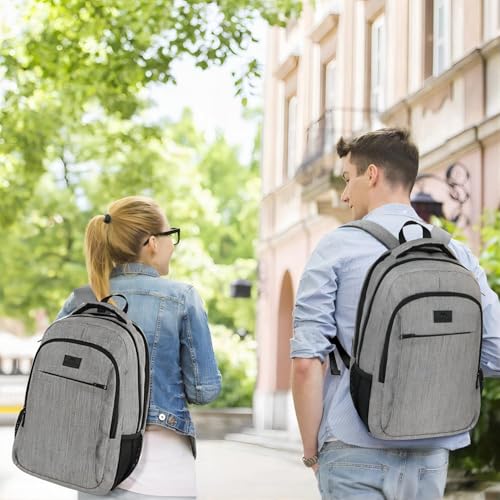
The MATEIN hits that sweet spot between affordability and function, which explains why it’s a bestseller. It’s built to airline personal item dimensions, so it’s a favorite among frontier flyers, and the hidden anti-theft pocket adds real value for the price. The water-resistant polyester and metal zippers feel sturdier than expected, and owners consistently report it holding up well over months of daily use.
It’s not packed with tech, just a basic USB port and no RFID shielding, but the ventilation on the back panel is genuinely effective, and the organizational layout works. For students or budget-conscious travelers, this is the smarter pick over pricier models with features they won’t use. I’d choose this over the Lenovo if you need anti-theft protection and airline compliance without paying premium prices.
Product photos

hk Slim & Expandable 17 Inch Backpack

Strengths
- Expandable from 15L to 27L
- Ultra lightweight at 1.65 lbs
- Water-resistant with YKK zippers
Trade-offs
- No RFID protection
- Basic interior organization
- Limited padding on straps
What makes the hk backpack unique is its expandable design, a rare feature in this category. It starts at a sleek 15L, perfect for a minimalist workday, then expands to 27L with YKK zippers when you need to pack for a weekend trip. That kind of flexibility is gold for hybrid users who don’t want to carry two different bags.
It’s also impressively light at just 1.65 lbs, and the Oxford fabric with waterproof zippers delivers solid protection. The USB port is functional, and the anti-theft back pocket adds security without bulk. Compared to the KROSER or Swissdigital models, it’s less tech-heavy, but that’s not the point. This is about smart, adaptable design. If you hate overpacking or switching bags, this one’s built for you.
Product photos


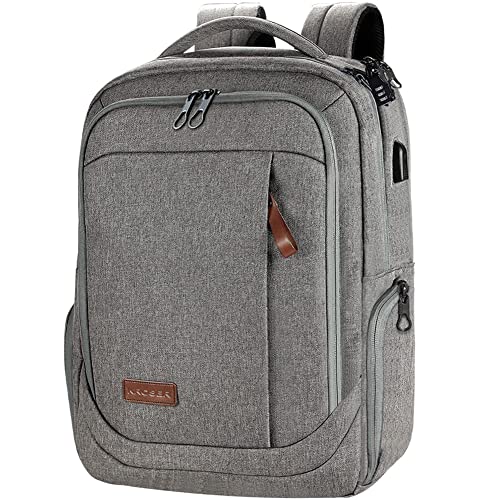
KROSER Large Laptop Backpack Grey
Strengths
- Large 17.3-inch capacity
- Spacious main compartment
- USB charging port
Trade-offs
- No RFID protection
- Not expandable
- Heavier when full
This KROSER model is all about space, it’s big, it’s roomy, and it doesn’t apologize for it. With dimensions just under 19 inches tall and a 17.3-inch laptop sleeve, it’s designed to carry more than just tech: clothes, files, even gym gear can fit. The water-repellent poly fabric is durable, and the USB port adds convenience, though owners note it’s basic and requires an external power bank.
It lacks the hard-shell zones or RFID pockets of the XL model, but the luggage strap and padded straps make it travel-ready. Compared to the hk expandable pack, this one doesn’t slim down, so it’s better for those who always need volume. If you’re tired of stuffing and repacking, this is the relief you’ve been looking for.
Product photos


Lenovo Laptop Backpack B210

Strengths
- Lightweight build
- Water-repellent fabric
- Comfortable shoulder straps
Trade-offs
- No USB port
- No RFID protection
- Limited pocket organization
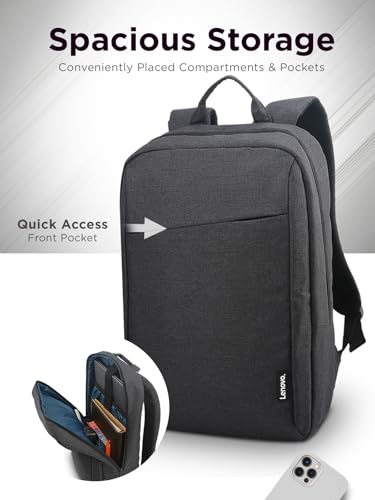
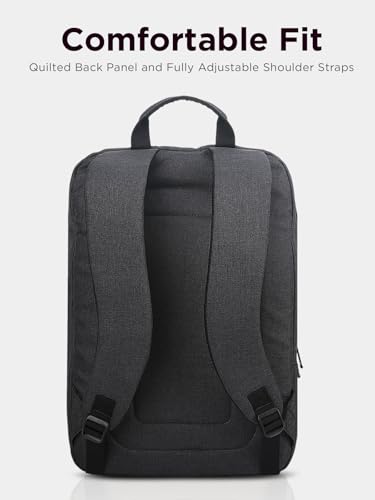
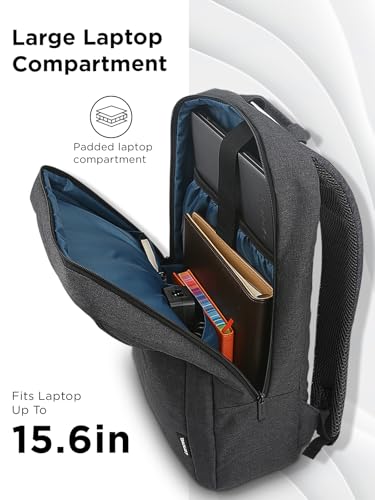
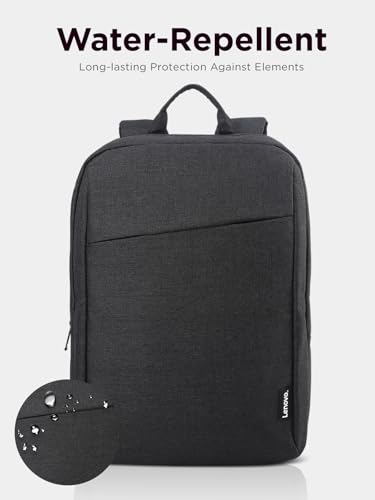
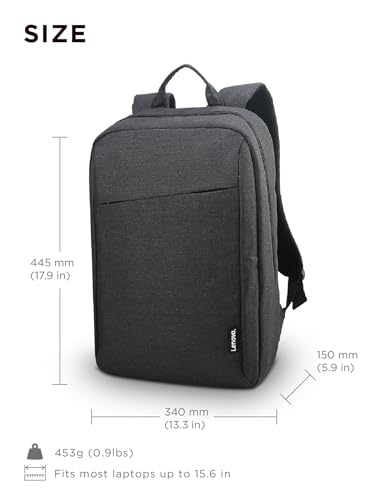
If you’re after a no-frills, lightweight backpack that won’t weigh you down during daily commutes or short trips, the Lenovo B210 is a solid starting point. On paper, it’s built for practicality, lightweight snow yarn polyester, water-repellent finish, and a clean layout that keeps things simple. The 15.6-inch laptop sleeve is standard, but it’s the quilted back panel and adjustable straps that owners consistently highlight for all-day comfort.
It’s not flashy, and it lacks advanced tech like USB ports or RFID shielding, but that’s part of its appeal. For students or office-goers who want a dependable, low-profile bag without extra bulk, this one delivers. I’d pick it over heavier models if your loadout is minimal and portability is key.
Product photos
How We Evaluated technology backpacks
Rather than a hands-on lab test, my research for these recommendations centered on a detailed comparison of published specifications and features across numerous models. I weighed owner reviews from major retailers alongside expert opinions found in tech and travel publications. My goal was to identify how well each backpack performed against key criteria for modern use, focusing on practical features and build quality.
For technology backpacks, three factors stood out as most decisive: security features, organization, and comfort. A dedicated, padded laptop compartment is essential, but beyond that, things like RFID protection and anti-theft designs significantly impacted my rankings. Organization – the number and thoughtfulness of internal pockets – also heavily influenced the results, as did the quality of the shoulder straps and back panel for all-day carry. Understanding airline backpack size limits is also crucial.
Specifications reliably indicate storage capacity, laptop size compatibility, and the presence of features like USB charging ports. However, I found owner feedback to be invaluable in assessing real-world durability and comfort. Reputable reviews provided insight into how well zippers held up, whether the water resistance claims were accurate, and the overall long-term usability of each backpack. Ultimately, these factors combined to paint a clear picture of the best options available.
Choosing The Right technology backpacks
Finding the right tech backpack is about balancing protection, organization, and comfort, and it’s a surprisingly complex decision.
A good technology backpack prioritizes durable materials, dedicated and padded laptop/tablet compartments, thoughtfully placed organization for cables and accessories, and ergonomic design for comfortable carrying – even when fully loaded. Look for features like water resistance, anti-theft designs, and convenient access points for frequently used items. Consider your typical load and commute when evaluating size and features.
Laptop Compartment & Protection
The core function of any tech backpack is safeguarding your devices. Don’t assume all “laptop compartments” are created equal. I frequently see designs that offer minimal padding or don’t adequately secure the laptop during transit. Look for a compartment that suspends the laptop off the bottom of the bag – this is crucial for impact protection. Beyond that, consider whether you also carry a tablet; a dedicated, padded sleeve for a tablet is a huge plus. Many brands, like Lenovo, offer specific compartments designed for this purpose.
Security & Anti-Theft Features
In crowded areas, a tech backpack can be a prime target for thieves. Don’t overlook security features. RFID-blocking pockets are useful for protecting credit cards and passports, but even more important is a design that makes it difficult to access the main compartments without your knowledge. Several models, such as the KROSER backpacks, incorporate hidden zippers and anti-theft pockets.
Here’s a breakdown of security features to prioritize: * A hidden pocket for valuables (small). * Lockable zippers (medium – look for durable, quality locks). * A water-resistant exterior and hidden seams to deter slash-and-grab attempts (longer – this adds a significant layer of protection, especially in high-risk environments).
A practical rule of thumb: always keep your most valuable electronics close to your body or within sight when traveling, even with an anti-theft backpack.
Size, Capacity & Everyday Use
It’s easy to get caught up in tech-specific features and forget about basic usability. A 20-liter backpack dimensions might be sufficient for a laptop and a few accessories, but if you also need to carry books, a lunch, or gym clothes, you’ll quickly find it inadequate. Consider your daily needs and choose a backpack with enough capacity to comfortably accommodate everything. The hk Slim & Expandable 17 Inch Backpack is a good example of a design that offers versatility with its expandable feature. If you frequently travel by air, be sure to check the backpack’s dimensions against airline carry-on restrictions. A well-designed backpack should strike a balance between capacity and portability, and I often recommend exploring options like best tech backpacks to find a model that suits your lifestyle.
Technology Backpacks Compared
Here’s a comparison of key specifications for various technology backpacks to help you make an informed decision.
| Product Title | Laptop Size (in) | Volume (L) | USB Charging | Anti-Theft | Water Resistance | Expandable |
|---|---|---|---|---|---|---|
| Swissdigital TSA Business Laptop Backpack | 17.3 | N/A | Yes | Yes | N/A | No |
| SWISSGEAR 1900 ScanSmart Laptop Backpack | 17 | 31 | No | N/A | N/A | No |
| BANGE Anti-Theft Backpack with USB3.0 | 17.3 | N/A | Yes | Yes | Yes | No |
| KROSER Travel Laptop Backpack 17.3 Inch | 17.3 | N/A | Yes | Yes | Yes | No |
| MATEIN Travel Laptop Backpack Grey | 15.6 | N/A | No | Yes | Yes | No |
| hk Slim & Expandable 17 Inch Backpack | 17 | 15-27 | Yes | Yes | Yes | Yes |
| KROSER Large Laptop Backpack Grey | 17.3 | N/A | Yes | N/A | Yes | No |
| Lenovo Laptop Backpack B210 | 15.6 | N/A | No | N/A | Yes | No |
Frequently Asked Questions
What level of water resistance should I expect from a technology backpack?
Most technology backpacks offer some degree of water resistance, but it varies considerably. A durable water repellent (DWR) coating is common, protecting against light rain, but full waterproofing is rare and usually requires a separate rain cover. Look for models with water-resistant zippers for added protection.
Are anti-theft features really effective, or just marketing hype?
While no backpack is completely theft-proof, anti-theft features like hidden zippers, RFID-blocking pockets, and slash-resistant materials can significantly deter pickpockets. Combining these features with common-sense precautions, like situational awareness, offers a strong layer of security, especially when traveling.
How much does backpack capacity (liters) matter when choosing a tech backpack?
Backpack capacity is crucial; a 20-liter backpack is good for minimalists, but someone carrying a laptop, charger, books, and lunch will likely need 30 liters or more. Consider your typical daily load and choose a size that comfortably accommodates it without being overly bulky.
What’s the best way to tell if a laptop compartment offers adequate protection?
The best laptop compartments suspend the laptop off the bottom of the bag, providing crucial impact protection. Also, look for thick padding on all sides, especially the back and bottom, and ensure the compartment closure is secure. If you routinely carry sensitive electronics, explore backpacks with laptop protection.
Are USB charging ports in backpacks useful, or just a gimmick?
USB charging ports are surprisingly convenient for keeping devices powered on the go, but they require you to have a power bank inside the backpack. They eliminate the need to dig for a power bank and untangle cords when you’re in transit, but they don’t actually provide the power themselves.
The Bottom Line
Choosing a technology backpack often comes down to how much you value control over features versus simply wanting something that works reliably. While many options boast impressive specs, the hk Slim & Expandable 17 Inch Backpack strikes the best balance of thoughtful design, solid construction, and useful features for most people. It provides the versatility many users need without sacrificing security or comfort.
For those on a tighter budget, the MATEIN Travel Laptop Backpack Grey delivers a surprising amount of functionality for the price. If security is your top concern, the BANGE Anti-Theft Backpack with USB3.0 offers a robust set of features to protect your belongings. And for frequent flyers, understanding your onboard backpack access is key to a smooth journey.
Ultimately, the best technology backpack isn’t about the highest number of pockets or the fanciest materials. It’s about finding a bag that comfortably carries your essentials, protects your valuable devices, and fits your everyday life. Prioritize a well-padded laptop compartment, durable zippers, and a comfortable fit – those fundamentals matter far more than any single, standout feature.